

Description
Product Overview
Dragon NaturallySpeaking is a premium voice recognition software from Nuance that converts spoken words into text with up to 99% accuracy. Designed for Windows PCs, it integrates seamlessly with Microsoft Word, WordPerfect, Outlook and many other programs, allowing you to dictate documents, emails and reports three times faster than typing. The lightweight installer (1.5 x 5 x 7.5 inches, 7.2 ounces) includes the K409A-G1B-11.0 model, optimized for clear speech capture and rapid command execution.
![[Product front view showing all components]](https://www.iconicgo.store/wp-content/uploads/2026/06/f84e8c17bdd4445d989757d8288c940a.jpg)
Usage
Ideal for professionals, students, writers and anyone who spends long hours at a computer, Dragon lets you dictate while reviewing documents, compose emails on the fly, or search the web hands‑free. Use it in a quiet office, a home study or even a shared workspace; the software adapts to your voice and learns new terminology, ensuring reliable performance in diverse environments.
Why Choose Us
Nuance’s reputation for leading‑edge speech technology guarantees a robust, secure solution backed by years of research. Dragon’s adaptive engine continuously refines accuracy, while the intuitive interface requires no technical expertise. With a proven Best Sellers Rank in Voice Recognition and a dedicated support team, you receive both high‑quality software and reliable after‑sales assistance.
Key Features
- 99% recognition accuracy from day one, reducing errors and re‑typing.
- Full integration with Word, WordPerfect, Outlook and popular apps for seamless dictation.
- Voice commands let you browse, search and control your PC without a keyboard.
- Custom word lists let you add acronyms, proper names and industry terms.
- Dedicated Nuance support and regular updates ensure long‑term reliability.
FAQ
How accurate is Dragon NaturallySpeaking?
It delivers up to 99% accuracy right after installation, and accuracy improves as the software learns your voice and vocabulary.
Which applications does it work with?
Dragon integrates with Microsoft Word, WordPerfect, Outlook, web browsers and many other Windows applications for dictation and command control.
Can I add my own terminology?
Yes, you can create custom word lists for acronyms, proper names and specialized phrases to enhance recognition.
Is technical support included?
Nuance provides phone and online support, plus regular software updates to keep the system running smoothly.
What are the system requirements?
Dragon runs on Windows PCs with at least a dual‑core processor, 2 GB RAM and 500 MB of free disk space.
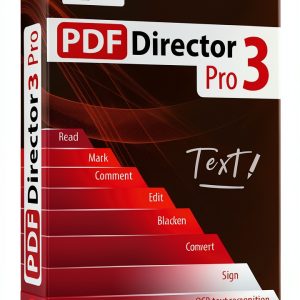
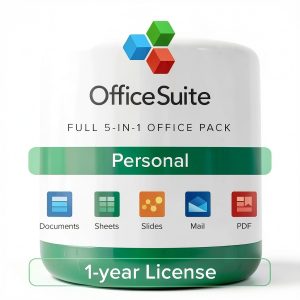

 Office 9 Suite Markt Technik Compatible Word Excel Alternative Office
Reviews
There are no reviews yet.